
Quick answer: Claude video editing works through the Code tab of the Claude desktop app (paid plan). Give Claude one folder, send 5 prompts (setup, style, edit, revision, extras), and it installs FFmpeg, Whisper and Remotion, cuts silences and filler words, adds word captions, tilt cards, B-roll, music and sound effects, then renders a 1080p MP4. No timeline, no editing software. On my PC the full edit took about 27 minutes, and there is also a no-install way on claude.ai.
I edited a full talking-head video without touching a timeline. I wrote prompts, Claude did the cuts, the captions, the B-roll and the sound, and I reviewed every decision on a simple web page before it rendered. In this Claude video editing tutorial I show the full setup from zero, every prompt I used (copy them below), the real time each step took, and how much load it put on my PC.
Everything here was tested on a Windows PC (Intel i7-9700, 16 GB RAM, RTX 3060) in November 2026. Prices are in USD.
What you need for Claude video editing
| Item | What I used | Note |
|---|---|---|
| Claude plan | Pro | The Code tab is not on the Free plan |
| App | Claude desktop app for Windows | Mac works the same way |
| Disk space | About 6.3 GB | For the free tools in 07_Engine |
| Footage | 6 A-roll clips, 5 B-roll clips | Made in Google Flow, with mistakes left in |
| Music and SFX | YouTube Studio, Creator Music | Free, check the license |
| Style reference | Gossipfunda Style Kit v3 | Free download below |
Step 1: Get a paid Claude plan (and check two prices)
Claude Code is included in Pro but not in the Free plan. On the official pricing page, Pro costs $20 per month billed monthly, or $17 per month on the yearly plan, billed as $200 up front. Tax is added on top and depends on where you live: with a New York address, my monthly total came to $21.78.
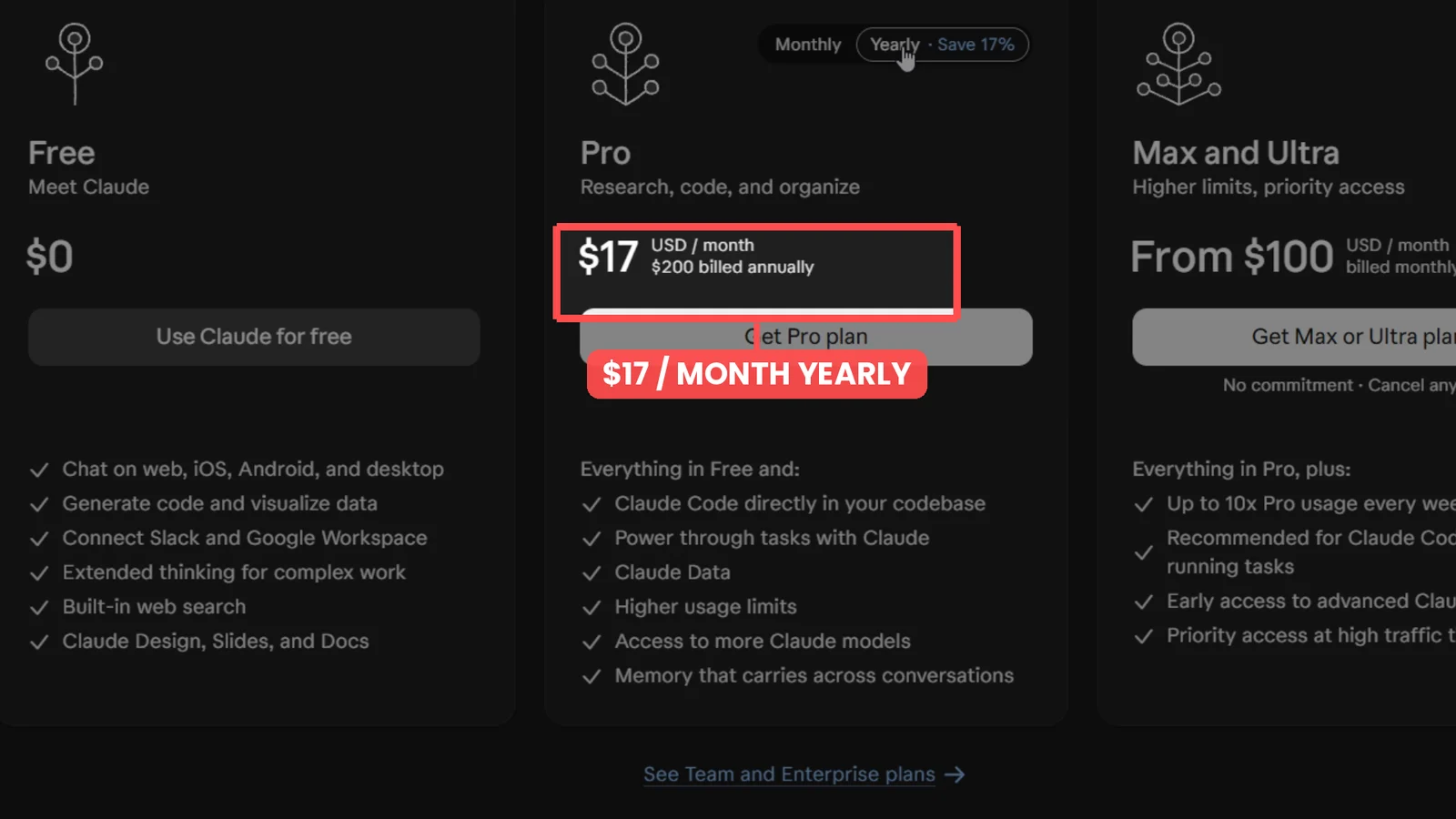
Tip most people miss: inside the Claude phone app, the price comes from Google Play or the App Store and is set for your country. In my case the app worked out to about $21.58 a month (about $233 a year) with tax already included. So check both the website and the app and buy where it is cheaper.
- If you buy in the app, you manage and cancel it from Google Play or the App Store, not from Claude (Billing FAQ).
- The plan renews every month on its own. Cancel before the renewal date if you only need one month.
- In Claude’s privacy settings you can turn off the option that lets your chats be used to improve the models.
Step 2: Install the Claude desktop app and open the Code tab
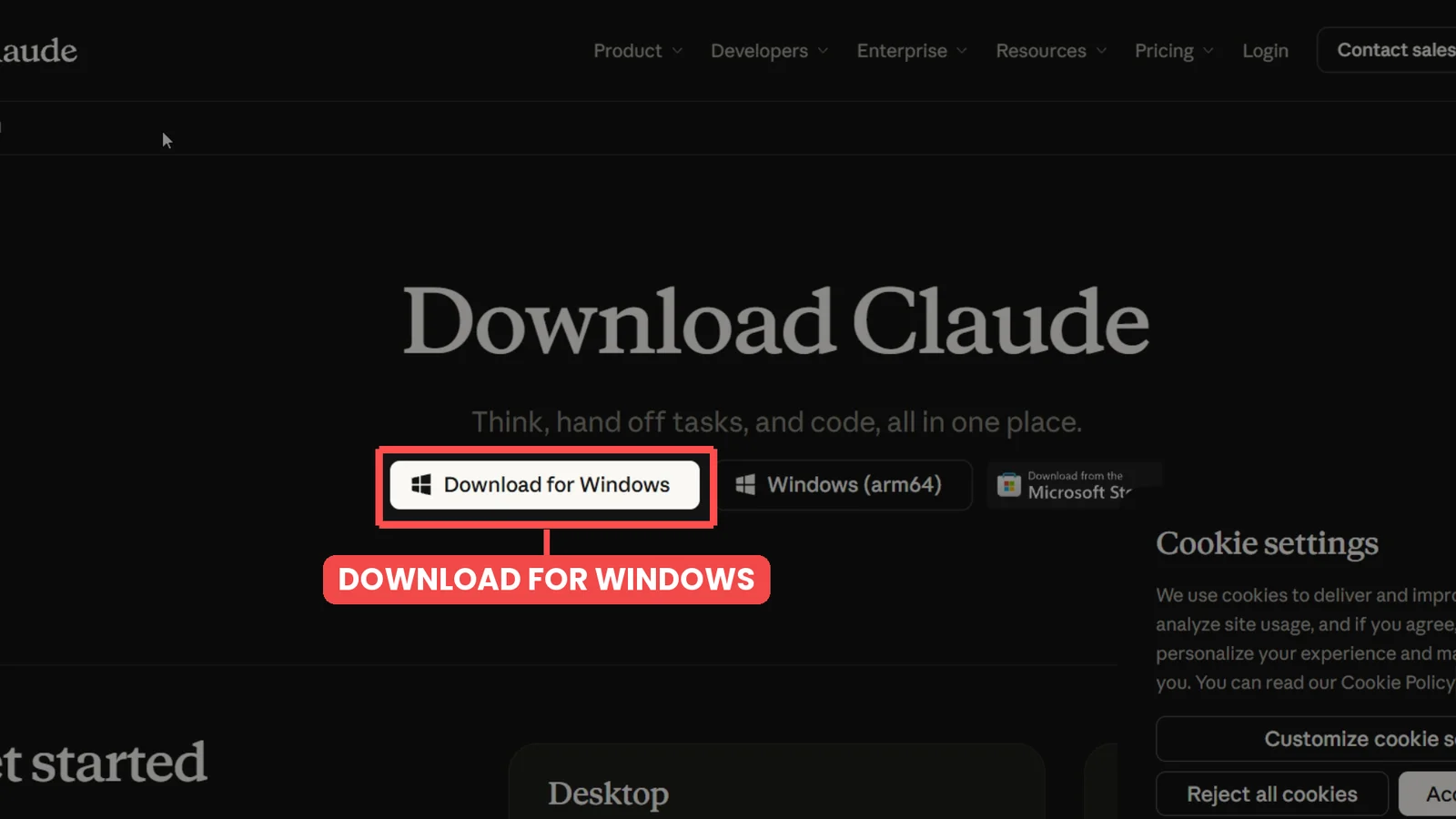
Go to claude.com/download, choose Windows or Mac, and install it like any normal app. Sign in, then click the Code tab at the top left. If it asks for Git for Windows, install it and restart the app. You do not need a GitHub account for any of this.
Step 3: Make one folder and trust it
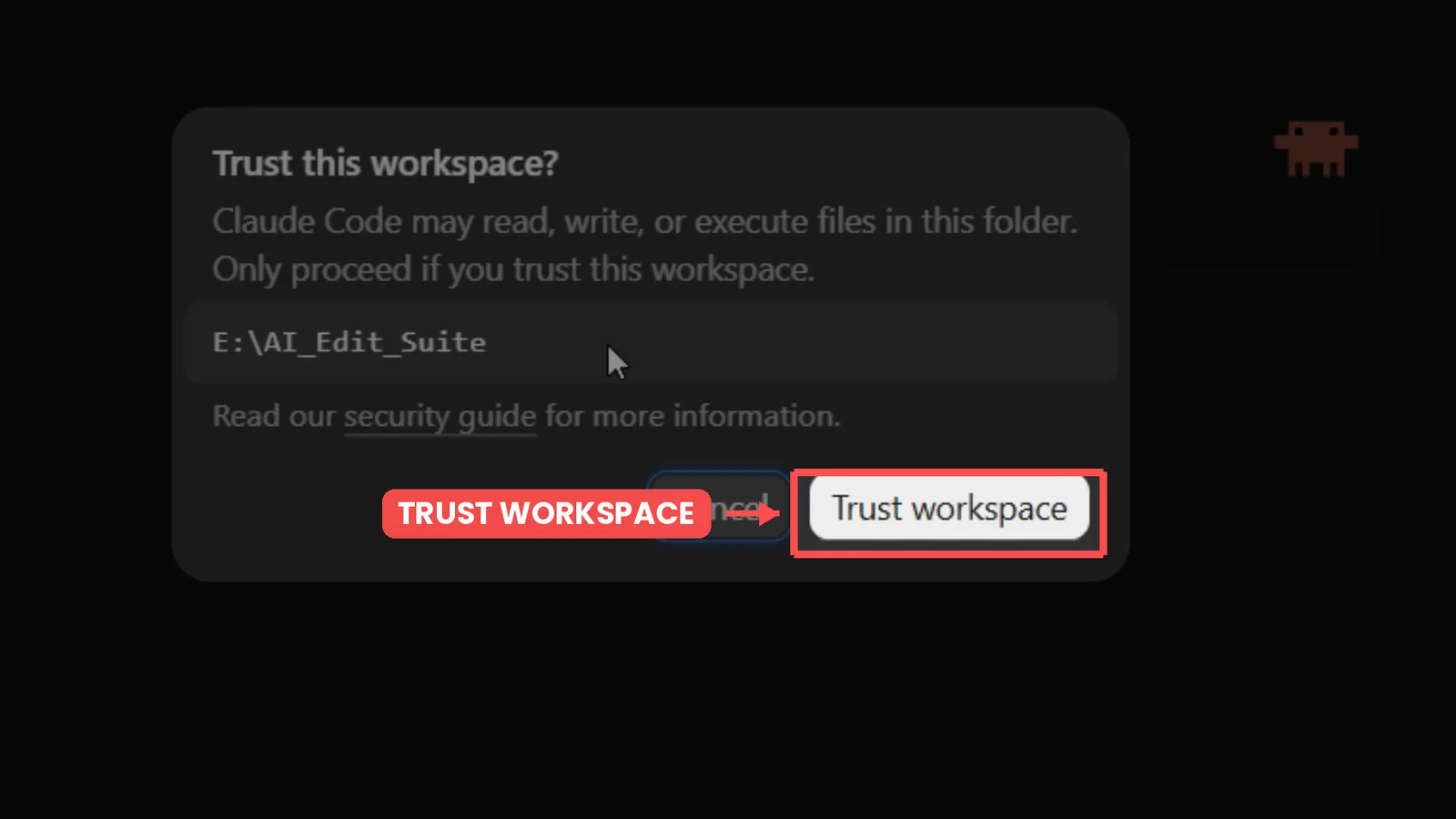
Create one empty folder. I called mine AI_Edit_Suite. In the Code tab choose This computer, pick the folder and click Trust workspace. Claude can only work inside the folders you give it, so the rest of your files stay untouched (Code tab docs).
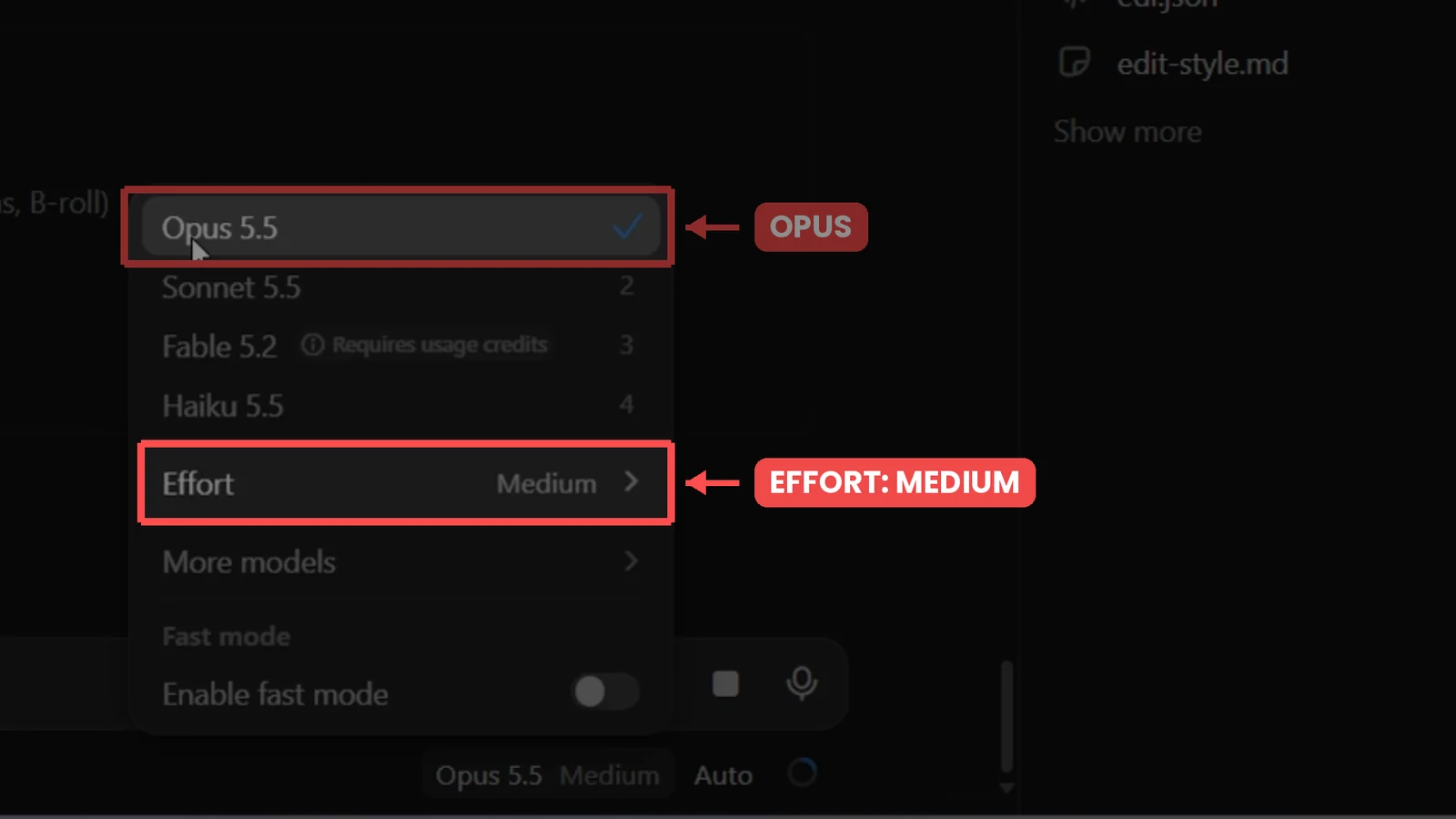
Step 4: Pick the model and effort
Before the first prompt, open the model menu. I edit with Opus; Sonnet also works and is lighter on your limit. Keep Effort on Medium. Going higher barely changed the result and used my limit faster.
Step 5: Give Claude your house rules (CLAUDE.md)
Send this first. Claude saves it as CLAUDE.md in the folder and reads it in every new session, so it never overwrites your footage or an older render.
Create a file named CLAUDE.md in this folder with these rules:
This folder is my AI video edit suite.
- Never overwrite or delete anything in 01_Media. Work on copies.
- Save every export in 06_Renders as <project>_v<number>_<YYYY-MM-DD>.mp4. Never replace an older version.
- Follow 04_Brand_Kit/edit-style.md for every edit once it exists.
- Before any long job (install, render), tell me what you will do and wait for my OK.
- Keep all tools inside 07_Engine so I can delete them in one go later.
- Ask me before deleting any file.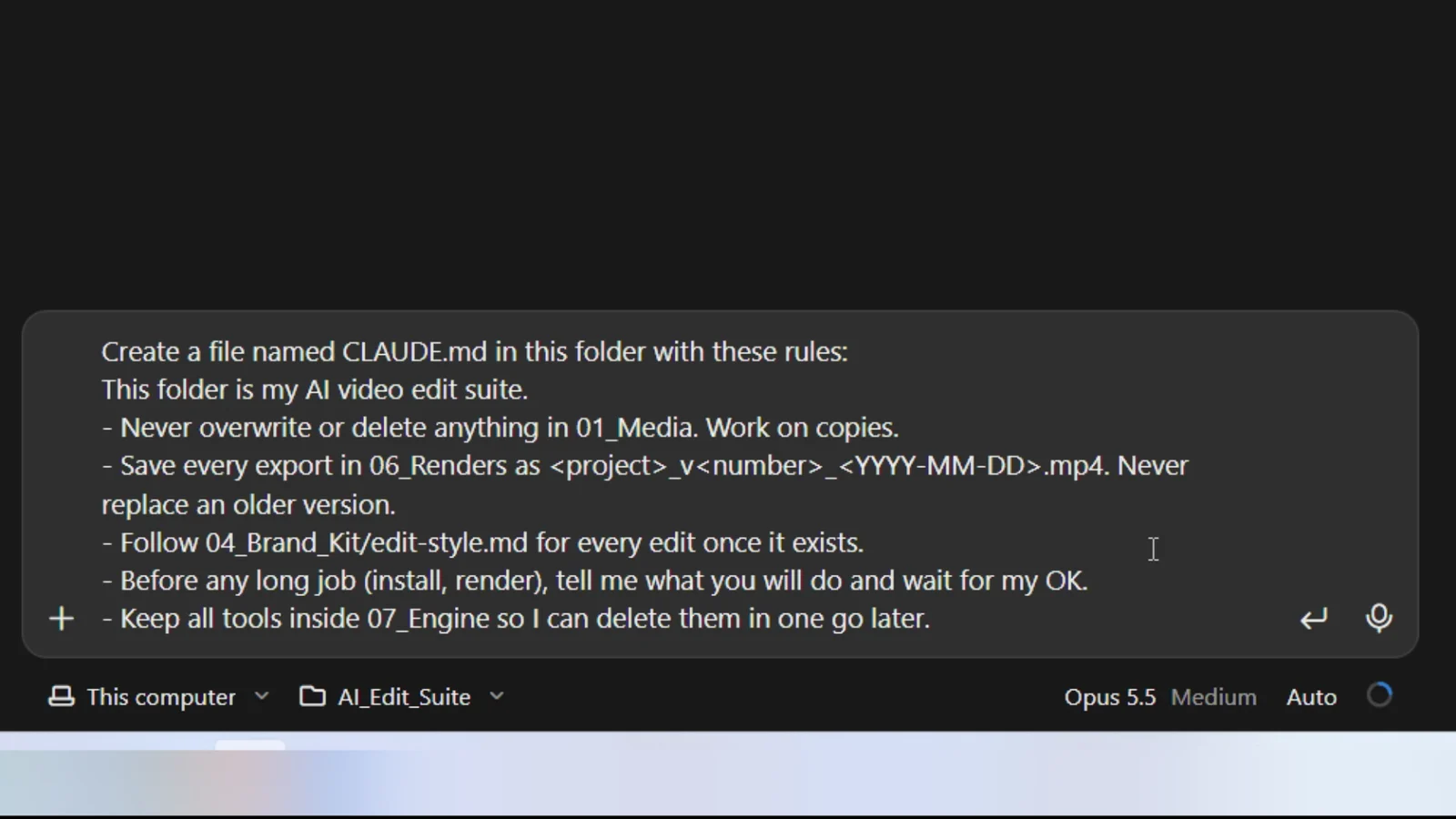
Prompt 1: Setup (folders + free tools)
Prompt 1 creates the folder structure, checks your PC and installs three free tools: FFmpeg for cutting and export, faster-whisper for word timestamps, and Remotion for animated captions and tilt cards. It shows an install plan first and waits for your OK.
You are going to be my video editor. Everything happens inside this folder.

Step 1. Create this folder structure (skip any folder that already exists):
01_Media/A_Roll, 01_Media/B_Roll, 02_Audio/Music, 02_Audio/SFX, 03_Style_References, 04_Brand_Kit, 05_Review, 06_Renders, 07_Engine.

Step 2. Check my computer first: Windows version, CPU, RAM, free disk space, GPU, and whether Python, Node.js and FFmpeg are already installed.

Step 3. Show me an install plan for these tools and wait for my approval:
- FFmpeg: cutting, joining, audio levels, final export.
- faster-whisper (Python): word-level timestamps for captions and for finding pauses and filler words.
- Remotion (Node.js): animated captions, 3D tilt cards and motion graphics.
Install everything inside 07_Engine where possible. Tell me the total download size before you start.

Step 4. After installing, test each tool on a 5-second dummy clip and give me a short table: tool, version, test result, disk space used.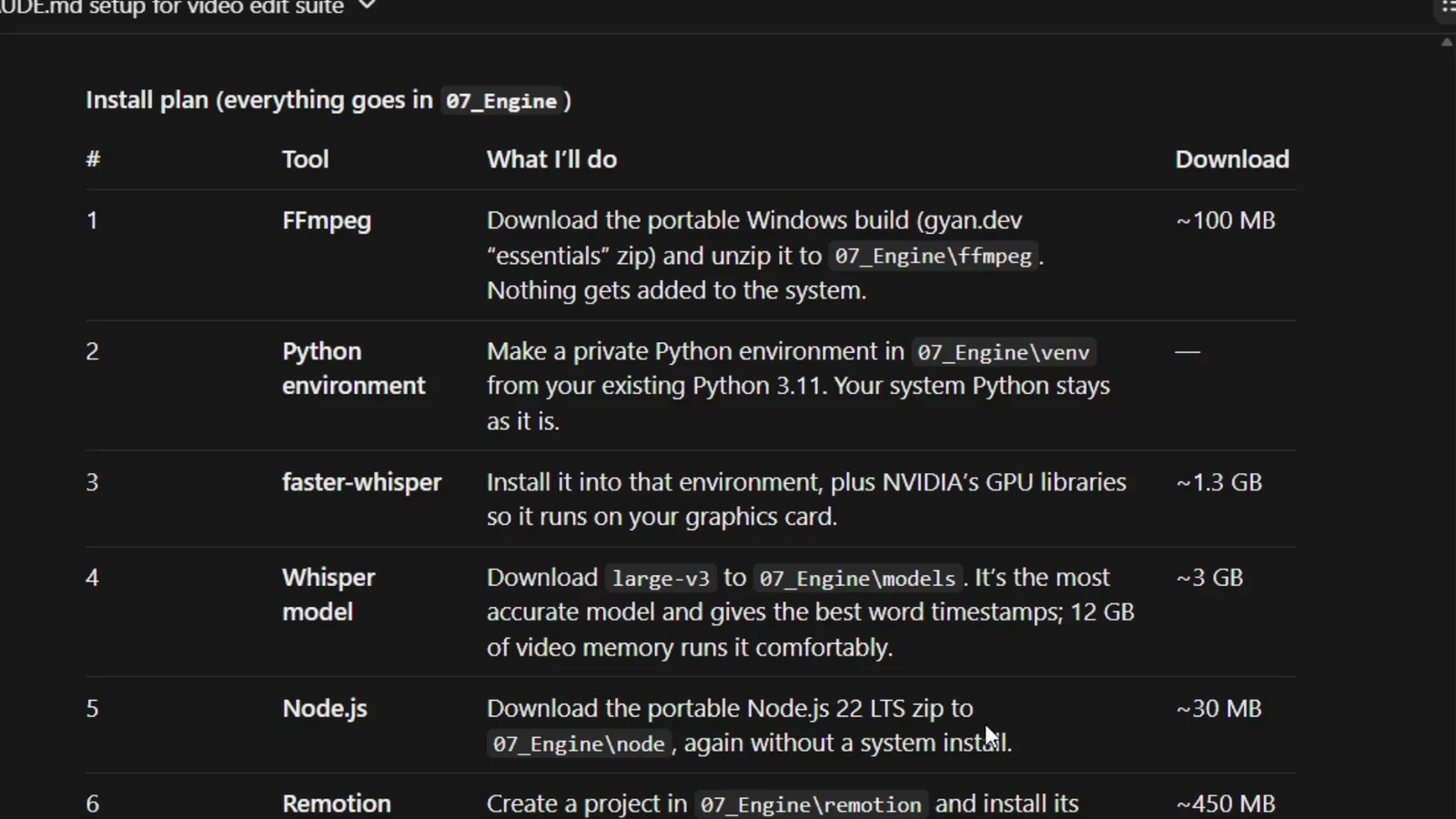
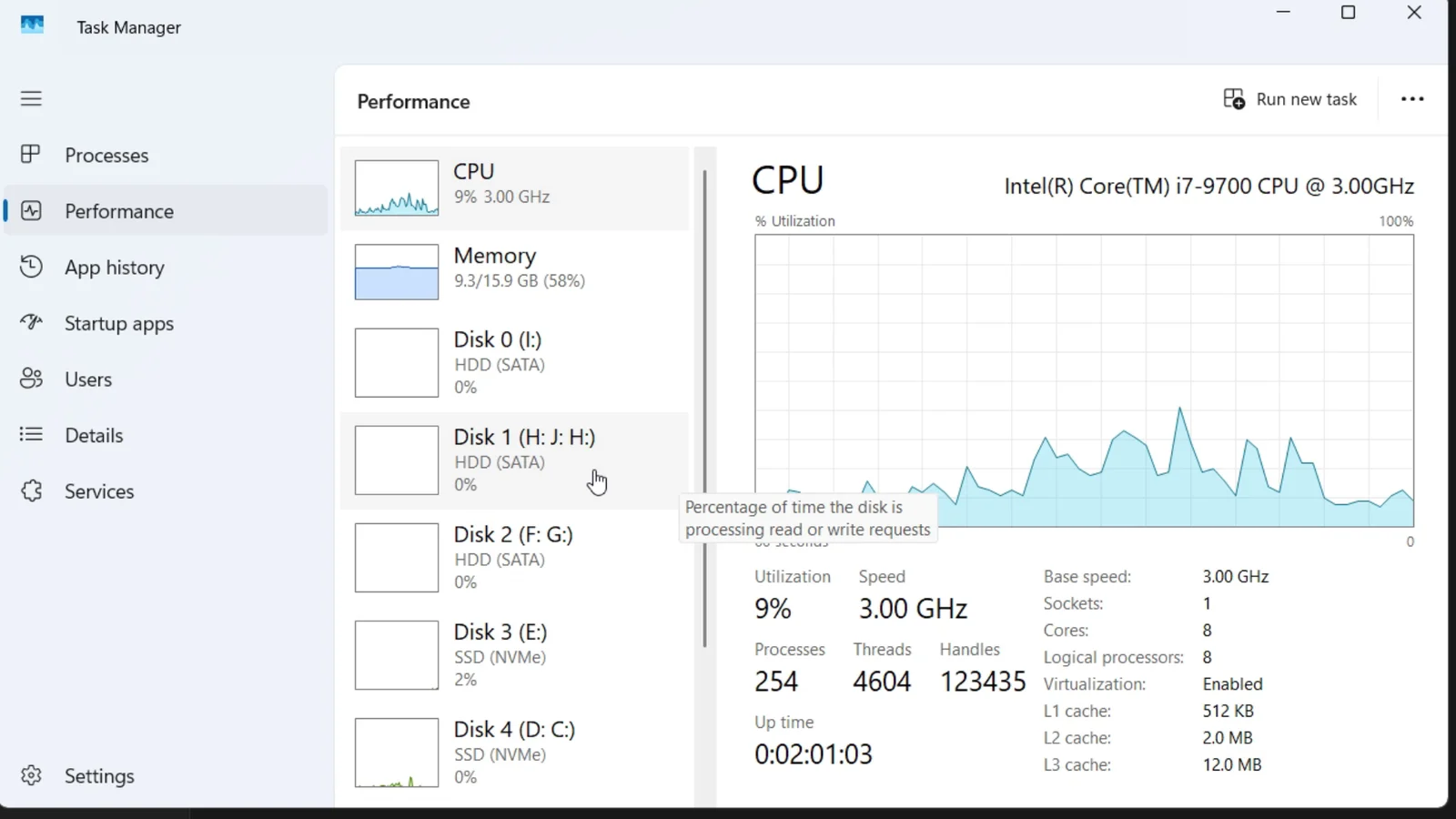
On my PC the plan took about 2 minutes and the install about 7 minutes. It downloaded around 5 GB, and after clearing its own download cache the 07_Engine folder was 6.27 GB. CPU stayed around 10 to 14% during the install.
Free music and sound effects
My raw footage was made in Google Flow, and I left the ums, long pauses and a false start in on purpose. Put the A-roll in 01_Media/A_Roll and the B-roll in 01_Media/B_Roll. For music and SFX, open YouTube Studio, go to Creator Music and filter for no-cost tracks. Open the license before you download: the track I used allows full monetization, and the sound effects needed no attribution. Put them in 02_Audio.
Prompt 2: Teach Claude your edit style
This is the clever part. Claude studies a style reference and writes 04_Brand_Kit/edit-style.md, and every later edit follows it. You can use any video of your own that you like, or my free Style Kit: a 45-second reel with 15 edit formats (word captions, tilt cards, progress bar, rising graph, money counter, screen callout, glitch and shatter transitions), reference frames and a ready style file.
Put the zip in 03_Style_References. I did not even unzip it: Claude opened the zip itself.
Study everything in 03_Style_References: STYLE_REEL.mp4 (a 45-second reel showing 15 edit formats, from word captions and tilt cards to a progress bar with check marks, a rising graph, a money counter, a screen callout and glitch and shatter transitions), the stills in frames/, and edit-style.md. This is the style I want. The numbered labels in the reel are only for reference: never put them in my edits.

Look at frames every few seconds and listen to the pacing. Then write 04_Brand_Kit/edit-style.md with:
1. Captions: font, size, position, casing, how many words on screen, and the highlight color for the key word.
2. Pacing: the longest pause to keep, how to remove filler words (um, uh) and false starts, and when to punch in (zoom 1.0 to 1.12).
3. My signature move, the TILT CARD: a rounded card with an icon and 1 to 4 words that slides in, tilted in 3D (about 12 degrees on the Y axis, with a soft shadow), straightens while the word is spoken, then tilts out. Use it for each key point.
4. B-roll: when to cut to B-roll and how long to stay (usually 1.5 to 3 seconds), with a quick whoosh.
5. Sound: music under the voice at about -18 dB, SFX only on cards and cuts, final loudness -14 LUFS.
6. Colors: pick an accent that fits my references and explain why.

Ask me up to 4 questions if something is unclear, then show me the file for approval. Do not edit any video yet.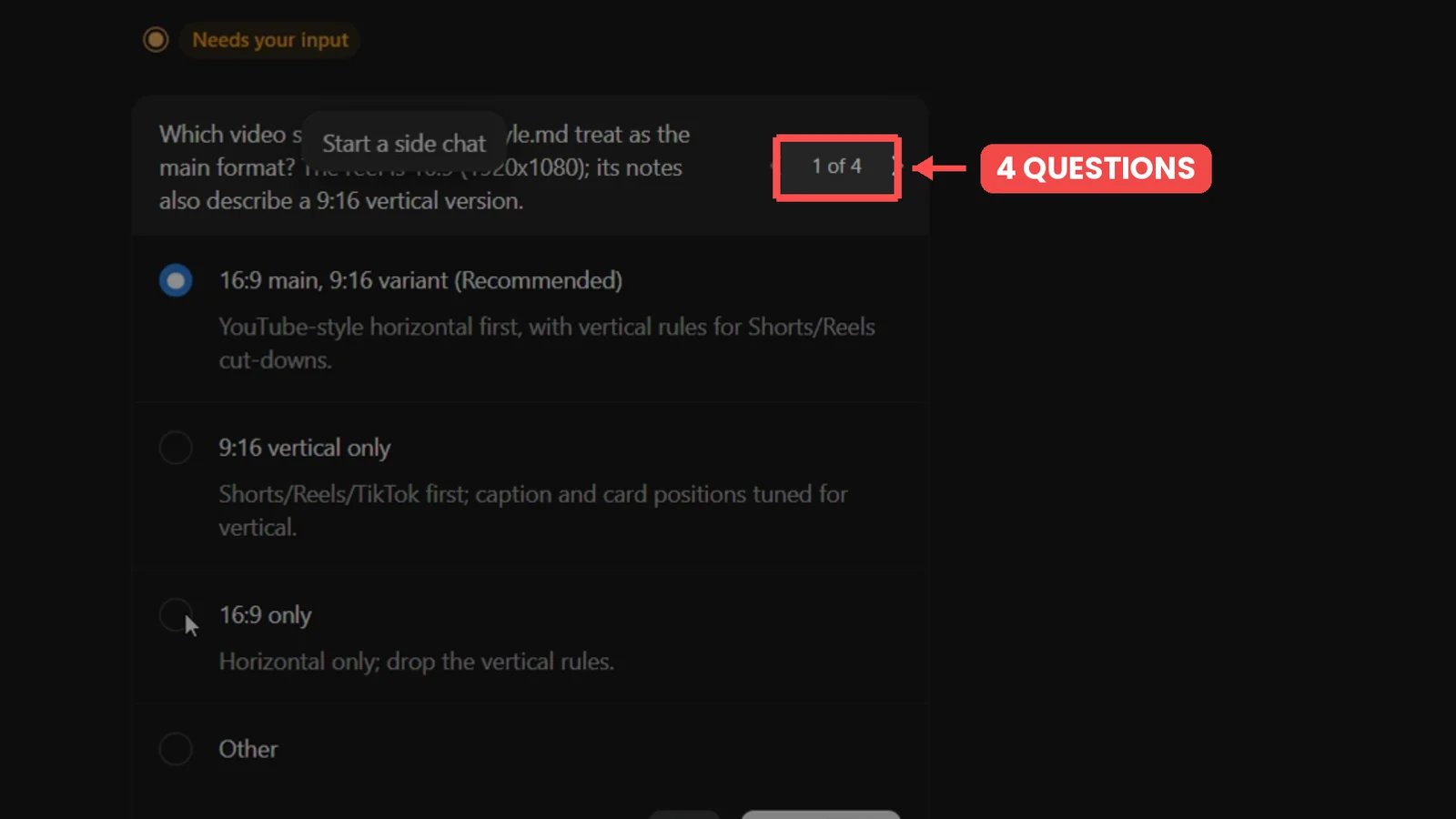
If you hit the usage limit
Video work uses a lot of your limit. Paid plans have a session limit that resets every five hours and a weekly limit, and your use of claude.ai, Claude Code and the desktop app all counts toward the same limit (usage limits). When you see the “approaching limit” banner, do not start a new chat, that does not help. Wait for the reset time it shows and carry on in the same chat. You can check it anytime in Settings, Usage.
Prompt 3: The edit and the review page
Prompt 3 is where the real Claude video editing happens. Claude does not render right away: first it builds a review page with one card per beat, showing the spoken words, what it cut and why, the B-roll, the card text and Approve / Reject / Note buttons. A Copy all notes button lets you paste your notes back. This step took about 8 minutes.
New project: "PRJ01_ThreeTricks". Footage: 01_Media/A_Roll (A01 to A06, in order) and 01_Media/B_Roll (B01 to B05). Music and SFX: 02_Audio.

1. Join A01 to A06 in order. Transcribe with word timestamps.
2. Cut silences longer than 0.4 s, every "um" and "uh", and the false start in A02 (keep only the second, clean take). Keep the speech natural, not robotic.
3. Follow 04_Brand_Kit/edit-style.md: word-level captions, a tilt card for each trick ("CAMERA MOVE", "CHARACTER SHEET", "PLAN YOUR SOUND"), punch-in zooms on key words.
4. Place B-roll where it matches the words: B01 on "camera move", B02 on "shots don't match", B03 on "character sheet", B04 on "plan your sound", B05 where it fits best.
5. Music from 02_Audio/Music under the voice, SFX from 02_Audio/SFX on cards and B-roll cuts, final loudness -14 LUFS.
6. Output format: 1920x1080, 30 fps, H.264. Save as 06_Renders/PRJ01_ThreeTricks_v01_<YYYY-MM-DD>.mp4.

Before rendering, build a review page in 05_Review/PRJ01_ThreeTricks: one card per beat with the time, the spoken words, what was cut and why, the B-roll, the card text, and buttons Approve / Reject / Note. Add a button that copies all my notes so I can paste them back to you. Then stop and wait for my notes.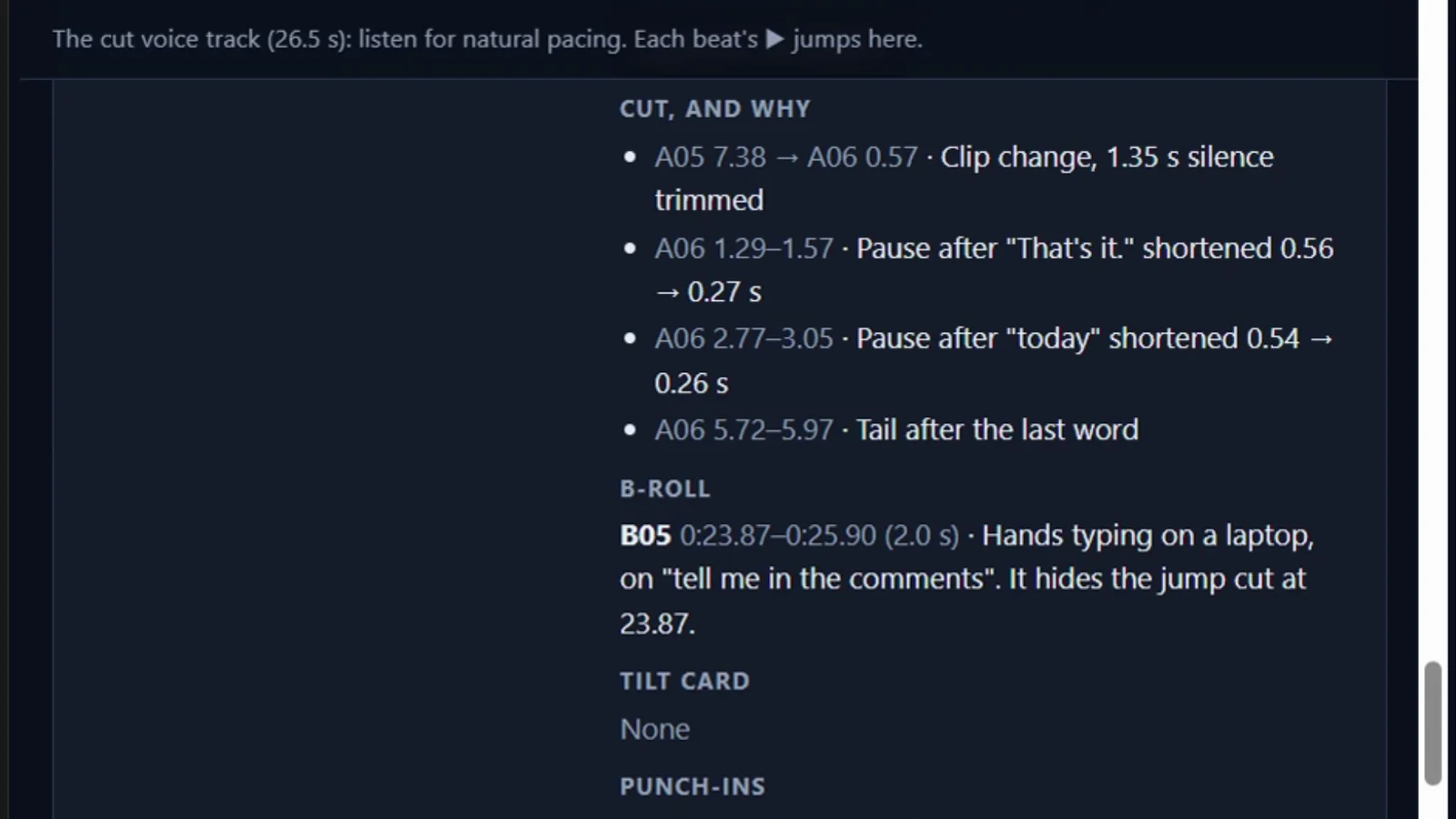
Prompt 4: Revision and render
Approve most beats, add a note where you want a change, copy the notes and send this:
Here are my notes from the review page: [paste]
Apply only these changes, keep everything else the same, and render PRJ01_ThreeTricks_v02. Then tell me in a short list what changed between v01 and v02.
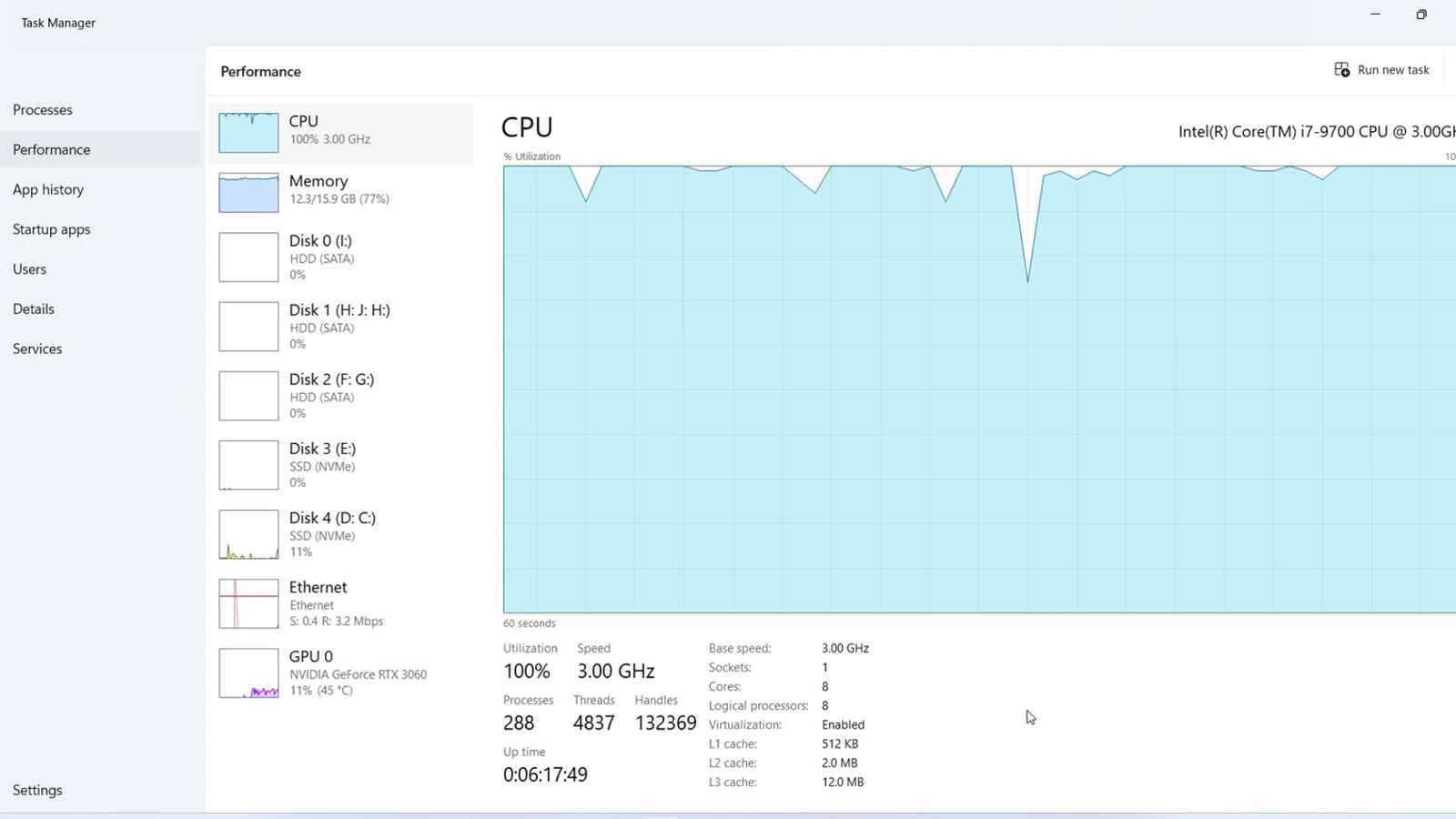
Now it renders. This is the heaviest part for your PC: the CPU went to 100%, and the RTX 3060 video encoder sat around 12%. The whole job took about 27 minutes and I did not touch anything. Want it to run overnight? Approve the plan before bed and the render runs on its own.
Prompt 5: Short, subtitles, thumbnails and chapters
One more prompt turns the approved edit into extra outputs. It took about 11 minutes and only 4% of my five-hour limit.
From the approved PRJ01_ThreeTricks edit, also make:
1. A 9:16 version (1080x1920) for Shorts: keep the face centered, move captions into the safe area, max 59 seconds.
2. An .srt subtitle file with the final timings.
3. Three thumbnail candidate frames (PNG) where my face looks expressive and the frame is sharp.
4. A short YouTube description with chapters based on the final cut.
Save everything in 06_Renders and list the file names.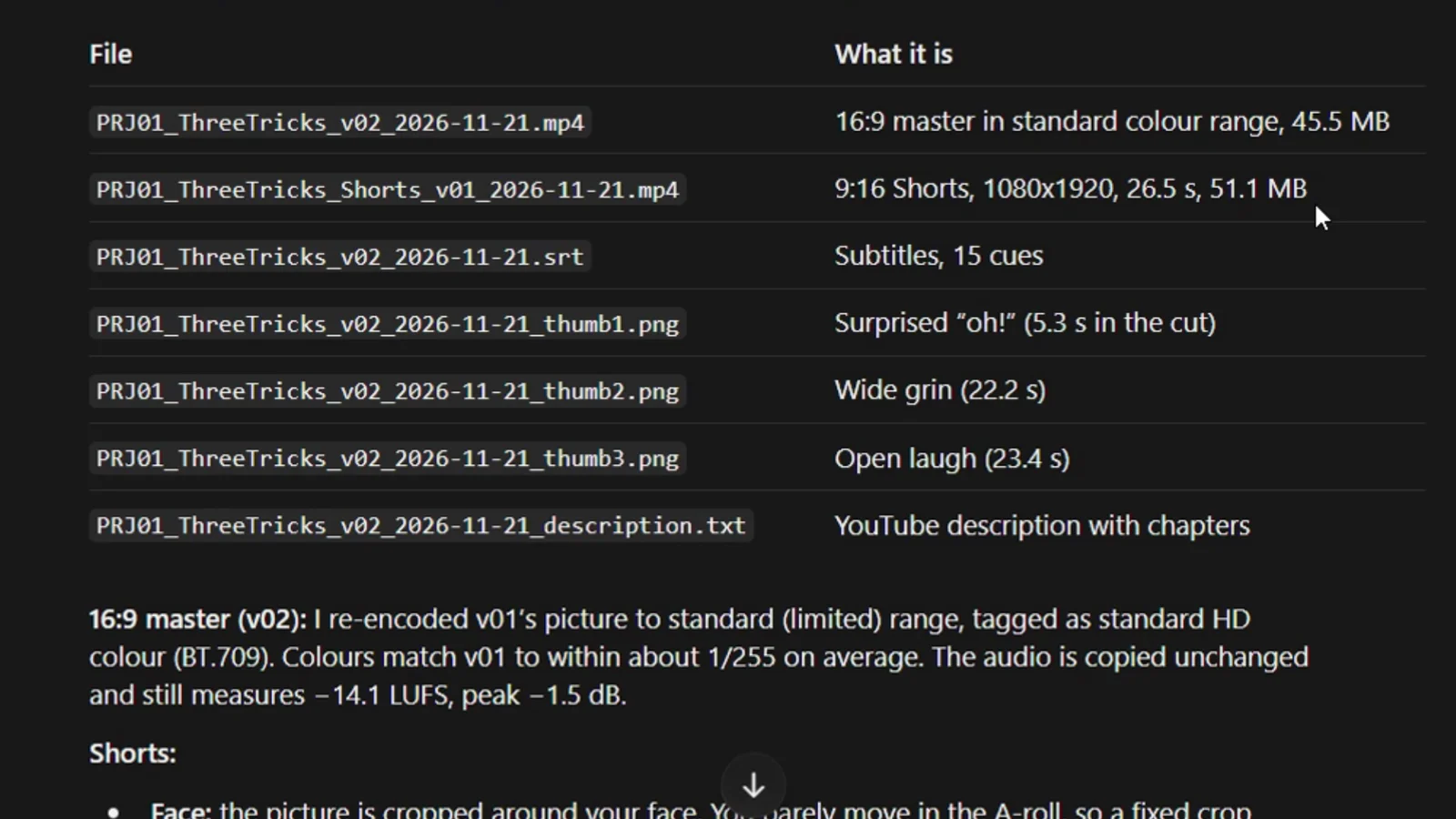
Bonus: Claude video editing without installing anything
Do not want to install anything? Open claude.ai in Chrome, start a new chat, upload your clips and the Style Kit, and paste the prompt below. It runs on Anthropic’s servers, so your PC does almost nothing. With a different style sheet, the same clips came back with a whole new look: an 8-second beat intro, a spinning 3D title and cuts on the beat. It took about 12 minutes and about 7% of my five-hour limit.
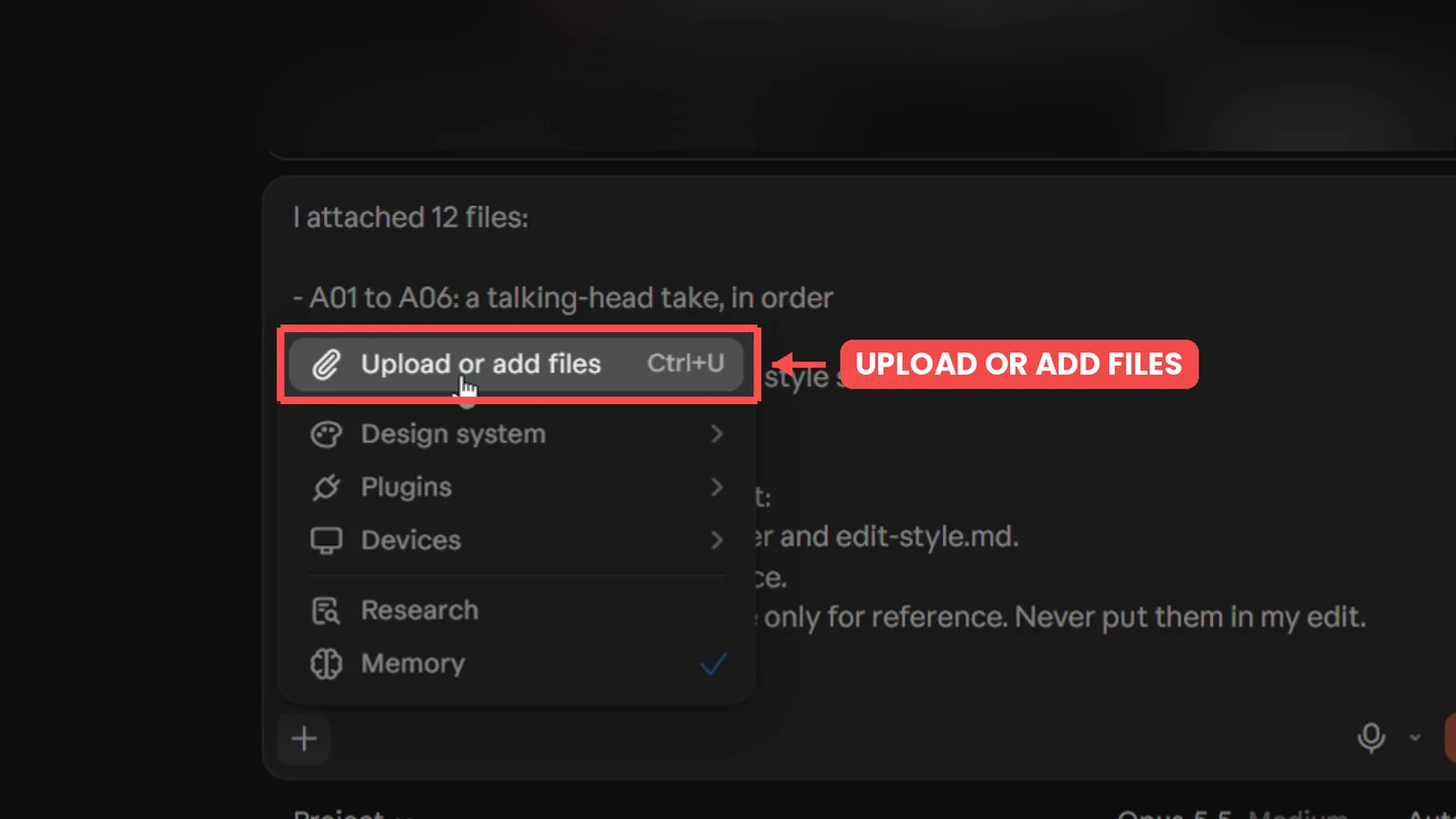
I attached 12 files: A01 to A06 (a talking-head take, in order), B01 to B05 (B-roll), and Gossipfunda_Style_Kit_v3.zip, my style sheet (STYLE_REEL.mp4, frames/ and edit-style.md). Unzip the kit and study it first, and follow edit-style.md for every choice. The numbered labels in the reel are only for reference: never put them in my edit.

Edit everything into one 16:9 video in your own workspace:
- Open with an 8-second intro made of formats 16 to 20: the editor-screen frame, shape cuts on the beat using my A-roll and B-roll, the shake-in 3D flip title "GOSSIPFUNDA" with "2026-27" above and "From Zero to One" below, light bands, and the stripe wipe to white. For the intro, make your own simple beat (kick, clap, hi-hat, riser). No copyrighted music.
- Then join A01 to A06, cut silences over 0.4 s, filler words and the false start in A02.
- Word-level captions with one highlight color for key words, and a tilt card for each trick: "CAMERA MOVE", "CHARACTER SHEET", "PLAN YOUR SOUND".
- Insert the B-roll where it matches the words, 1.5 to 3 seconds each, with a short whoosh you create yourself.
- Final loudness -14 LUFS, 1920x1080, 30 fps, H.264, standard color range.
Every file you give me to download must be 400 MB or smaller. If the MP4 is bigger, do not lower the quality: split it into numbered parts (part1, part2...) with stream copy, each under 400 MB.
When it is done, give me the file(s) to download, tell me what you cut, and list the style formats you used.- Each uploaded file can be up to 500 MB, with up to 20 files per chat (file upload limits).
- It cannot save into a folder on your computer: you download the finished video and it lands in your Downloads folder.
- The cloud machine is small, so if your PC is fast, the local way renders faster.
How much load does Claude video editing put on your PC?
| Step | Time (my PC) | CPU / GPU |
|---|---|---|
| Idle, app open | – | CPU about 0%, Claude about 852 MB RAM |
| Prompt 1: install | about 2 + 7 min | CPU 10 to 14% |
| Prompt 2: style | a few minutes | low |
| Prompt 3: edit + review page | about 8 min | CPU 11 to 13% with spikes, GPU about 56% during previews |
| Prompt 4: render | about 27 min (whole job) | CPU 100%, GPU video encode about 12% |
| Prompt 5: extras | about 11 min | 4% of the 5-hour limit |
| Web way (claude.ai) | about 12 min | almost nothing on your PC, about 7% of the limit |
Claude video editing tips that saved me time
- Review before render. Fixing a note on the review page is much cheaper than re-rendering a full video.
- Keep every prompt in the same chat so Claude remembers your style file and project.
- Never let it touch 01_Media: the CLAUDE.md rules make it work on copies.
- Name renders with a version and date, so v01 is never replaced by v02.
- When you are done with the tools, delete 07_Engine to get the 6 GB back. Your CLAUDE.md rules make Claude ask before deleting anything.
More AI video tutorials
- Google Flow Omni Flash 1.2 tutorial: how I made the hook and B-roll clips
- Make an AI avatar video in Google Flow
- Google Flow Omni 1.2 review
- Consistent AI character for free
FAQ
Yes. In the Code tab of the Claude desktop app, Claude installs free tools like FFmpeg, Whisper and Remotion and uses them to cut, caption, add B-roll and music, and render an MP4 from your prompts.
The tools Claude installs are free, but the Code tab needs a paid plan. Pro costs $20 a month, or $17 a month on the yearly plan, plus tax.
No. You only write prompts in plain English and approve or reject beats on a review page. Claude writes and runs the code itself.
On my PC the edit and review page took about 8 minutes and the full render job about 27 minutes for a short talking-head video. The web way took about 12 minutes.
Yes. Upload your clips and style kit to a chat on claude.ai and paste the web prompt. It runs on Anthropic’s servers and you download the finished video.
I used Opus with effort on Medium. Sonnet also works and uses less of your limit. Higher effort barely changed the result.
Wait for the reset time shown and continue in the same chat. The session limit resets every five hours, and starting a new chat does not reset it.
All the prompts above are free to copy. If you try Claude video editing on your own footage, tell me in the YouTube comments what you want me to edit next.

Awill Misra (Known as Awill Guru) holds a B.Tech in Electronics & Communication Engineering and an M.Tech in VLSI design, along with NIELIT O and A Level certifications. He also has an M.A. in Sociology and a B.Ed. He has been writing troubleshooting guides for Android phones, TVs, apps and gadgets on Gossipfunda since 2018, and teaches mathematics.