

Quick answer: Google AI Studio text to speech is free. Open aistudio.google.com, pick the Gemini 3.8 Flash TTS model, choose one of 2,000+ library voices, type your script, click Run and download a WAV file. Two-speaker audio is free too. Creating your own voice (Voice Design / Voice Replication) needs billing, and there is a daily limit per model.
Google AI Studio text to speech turns any script into a natural AI voice with the Gemini 3.8 Flash TTS model. You don’t need a microphone, a studio or a voice actor. You need a Google account and a few lines of text.
Every voice you hear in the video above is AI. This guide shows the exact steps I followed on November 25, 2026, the voices and styles I used, a free two-speaker podcast, a Hindi trick, and the limits and prices Google lists.
How to use Google AI Studio text to speech (step by step)
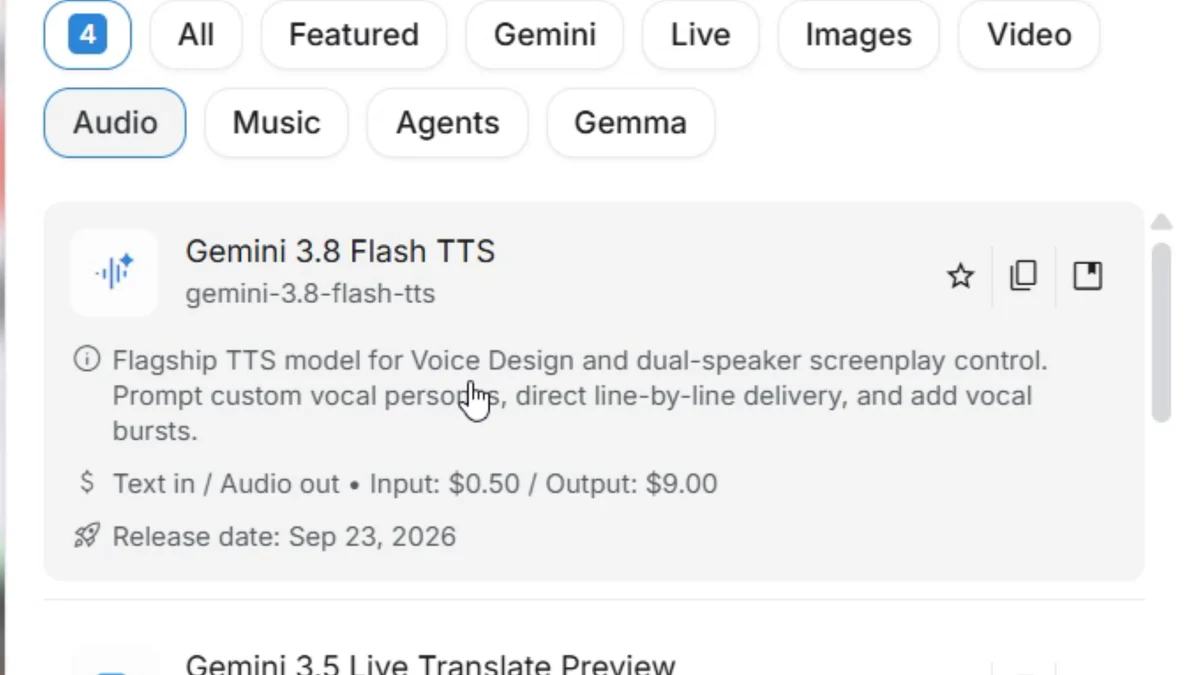
The whole process runs in your web browser. These four steps take you from a blank page to a downloaded audio file.
- Go to aistudio.google.com and sign in with any Google account.
- Open the Playground. In the model list, filter by Audio and pick Gemini 3.8 Flash TTS.
- Type your script, then click Run to listen.
- Click the download icon to get a WAV file.
The model card in AI Studio describes it as a “Flagship TTS model for Voice Design and dual-speaker screenplay control.” Its model ID is gemini-3.8-flash-tts. Google’s speech generation docs say the WAV file is 24 kHz, mono and 16-bit, so it drops straight into most video editors.
2,000+ free voices: search and filters
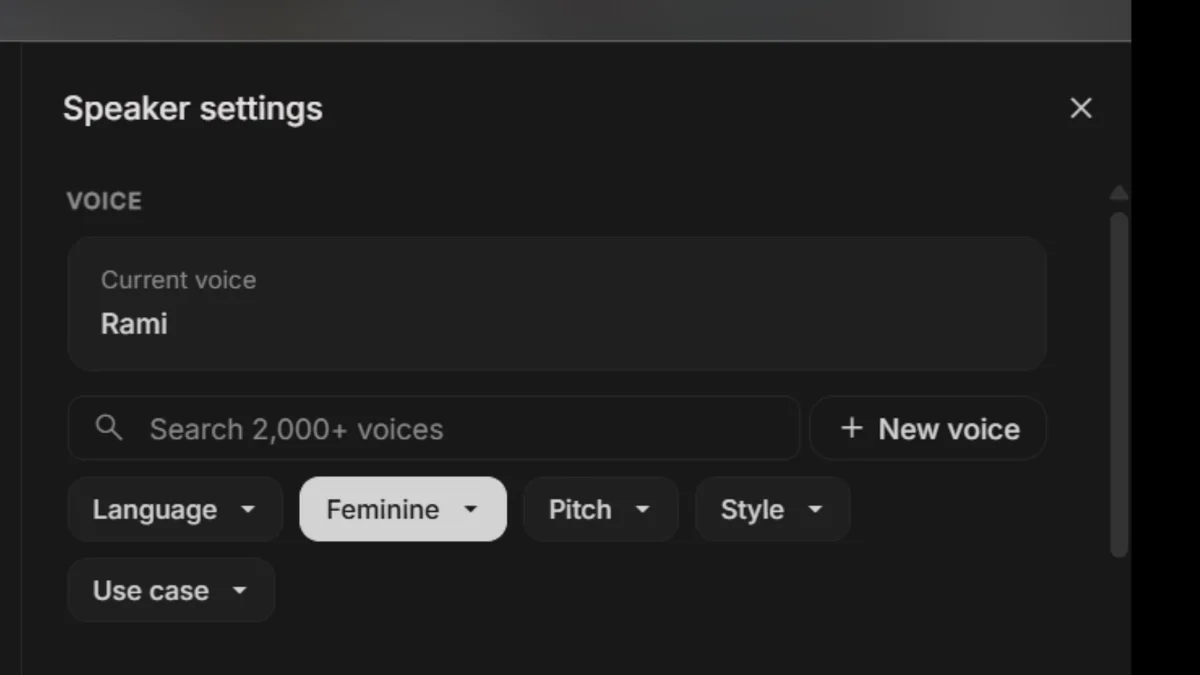
In the Run settings panel on the right, click the voice under Speaker settings. The search box reads “Search 2,000+ voices.” You can search by name or narrow the list with five filters.
- Language
- Gender
- Pitch
- Style
- Use case
Click any voice to preview it before you use it in Google AI Studio text to speech. My favorite is Arlo, described as “Confident and clear, deep pitch.” For the video I also used Veda, Nika, Algenib and Brio, and all five are free library voices.
Voice styles and temperature
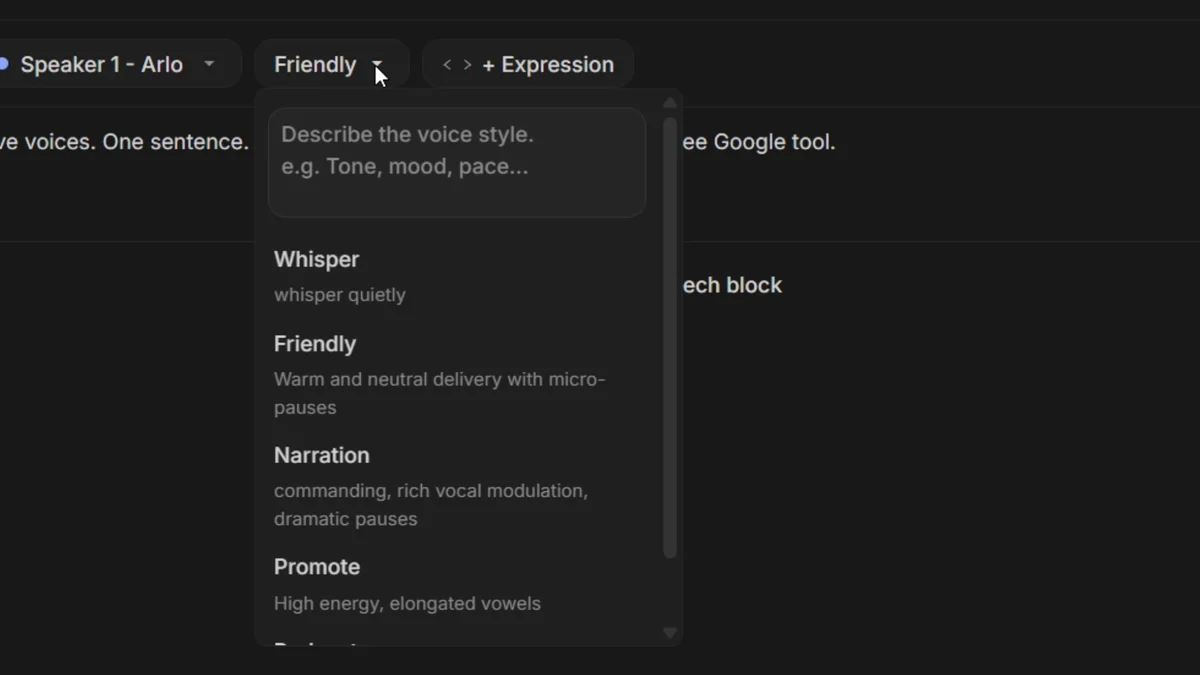
The Style menu next to the speaker changes how the same voice performs your text. AI Studio shows a short description for each style.
| Style | Description shown in AI Studio |
|---|---|
| Whisper | whisper quietly |
| Friendly | Warm and neutral delivery with micro-pauses. |
| Narration | commanding, rich vocal modulation, dramatic pauses. |
| Promote | High energy, elongated vowels |
Same text, a different feeling each time. I also used the Podcast style in the video.
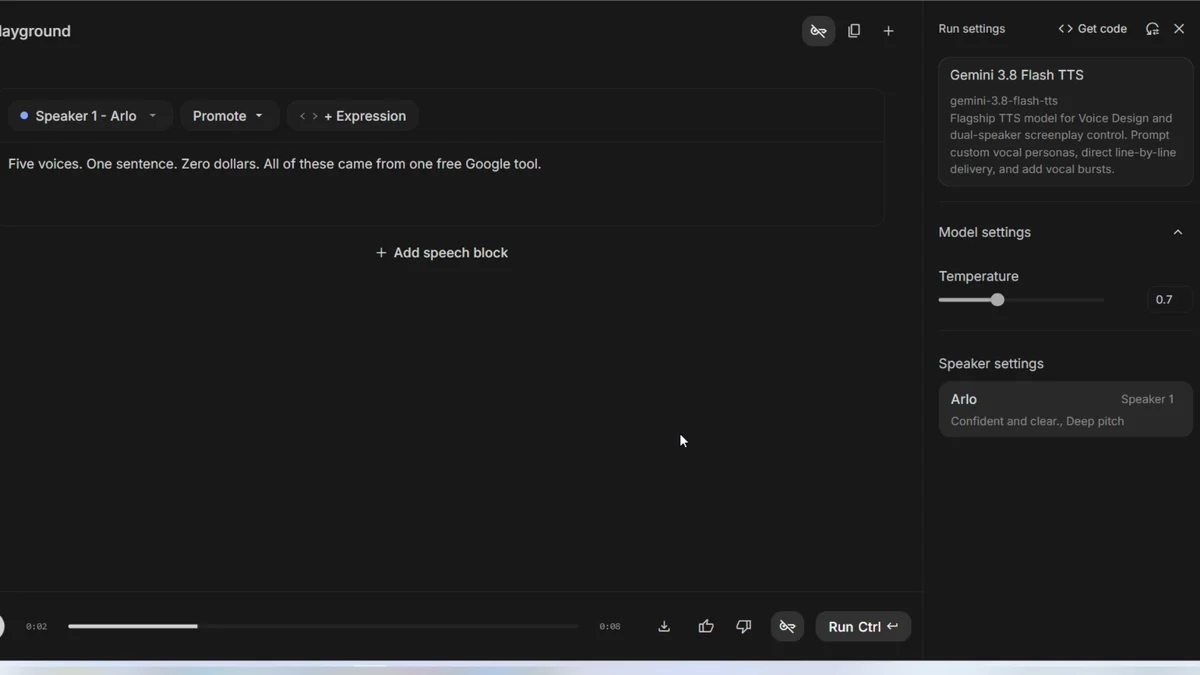
Temperature sits under Model settings in the same Run settings panel. I keep it at 0.7. Then click Run, listen, and download the WAV when it sounds right.
Control pace and pauses in your script
Gemini 3.8 TTS reads your text as a word-for-word transcript. Google’s prompting guide in the TTS docs gives these ways to shape the rhythm and sound.
- Punctuation: commas, dashes and ellipses (…) add natural hesitation.
- Pause tags: type
<short pause>or<long pause>where the speaker should stop for a moment. - Vocal sounds: tags such as
<laugh>,<sigh>or<breath>go right at the word where the sound should happen.
To stress a word, write it in capital letters, like “This is a VERY important point.” Google adds that non-English scripts work best with English tags.
Make a two-speaker AI podcast for free
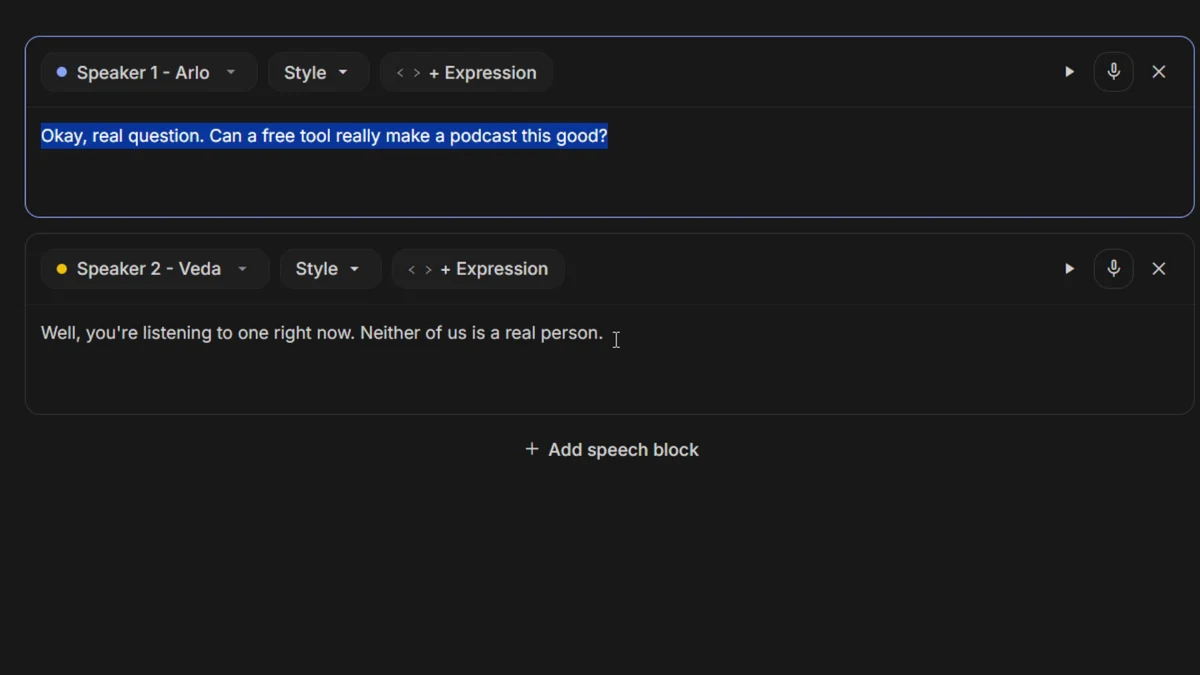
Below your first script, click Add speech block. Choose a second voice for the new block and write that speaker’s lines. Keep adding blocks to go back and forth.
In my test, Arlo and Veda made a 27-second podcast clip with one Run. Two-speaker audio in Google AI Studio text to speech costs nothing on the free tier. Google’s TTS docs say one request supports up to 2 speakers using prebuilt voices, so plan your podcast around two hosts.
Hindi text to speech with a free voice
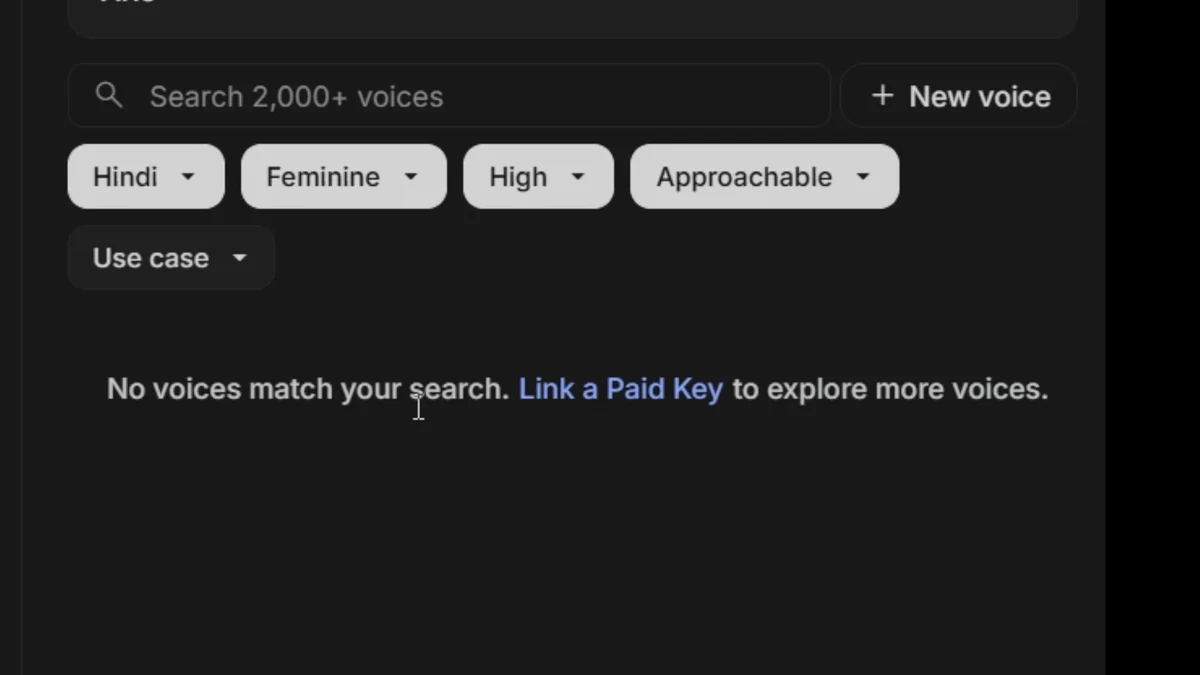
If you filter the voice library by Hindi, AI Studio shows this message: “No voices match your search. Link a Paid Key to explore more voices.”
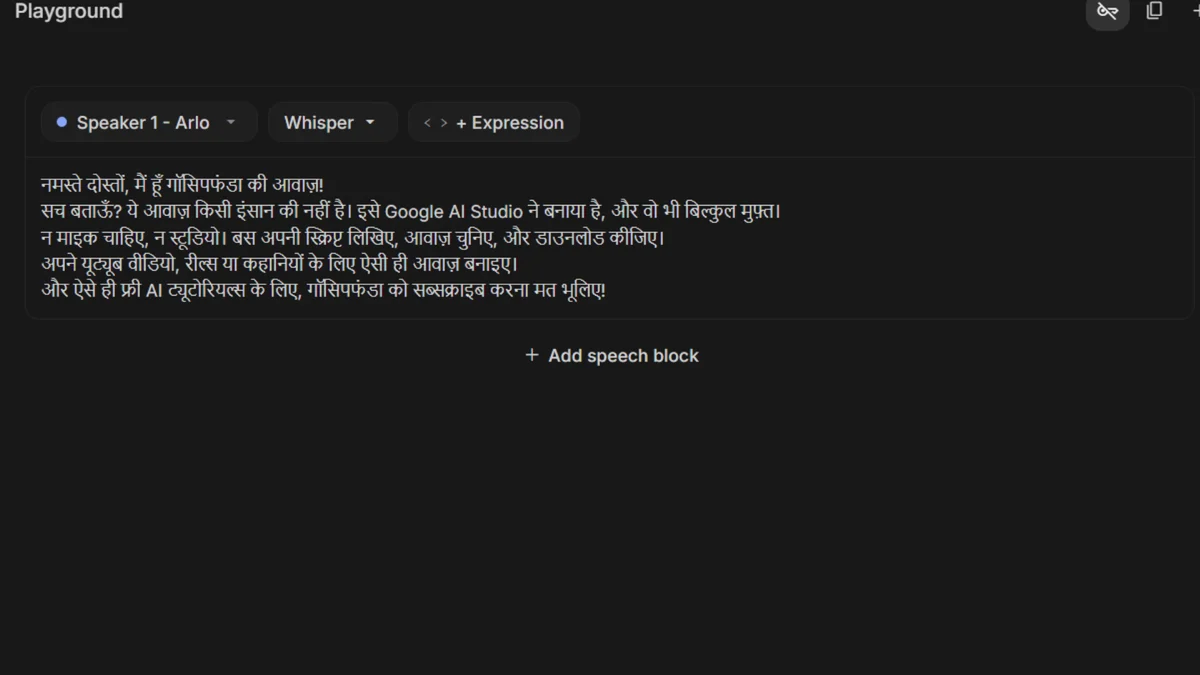
Here is the trick. Keep a free voice such as Arlo, then paste a Hindi script written in Devanagari letters. In my test, Arlo read it well.
Google’s docs say the TTS models detect the input language automatically, and Gemini 3.8 Flash TTS supports over 130 languages. That means the same Google AI Studio text to speech trick works for many other languages too.
What is NOT free in Google AI Studio
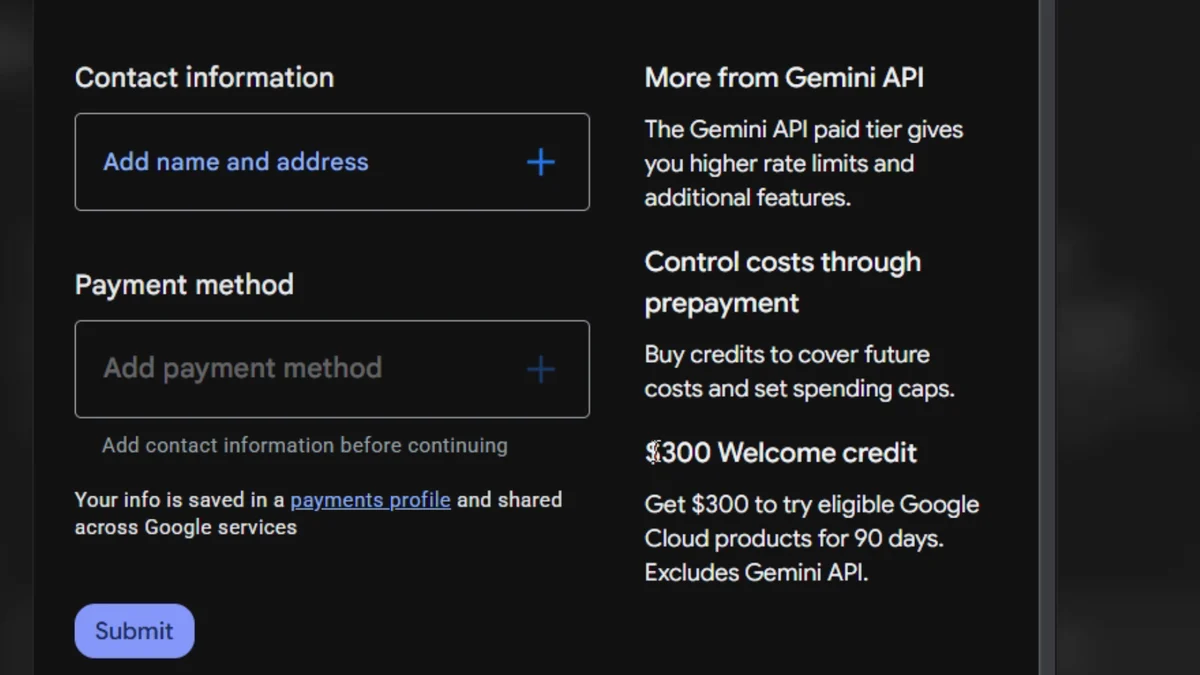
The free library voices cost nothing, but making your own voice does. Voice Design creates a new voice from a written description. Voice Replication copies a speaker’s voice from reference and consent audio.
When you pick either one, AI Studio asks you to set up your Google Cloud Billing account. The billing panel offers a $300 Welcome credit for eligible Google Cloud products for 90 days. The same panel says it excludes Gemini API, so don’t count on it for voice work.
Gemini 3.8 Flash TTS free limits and price
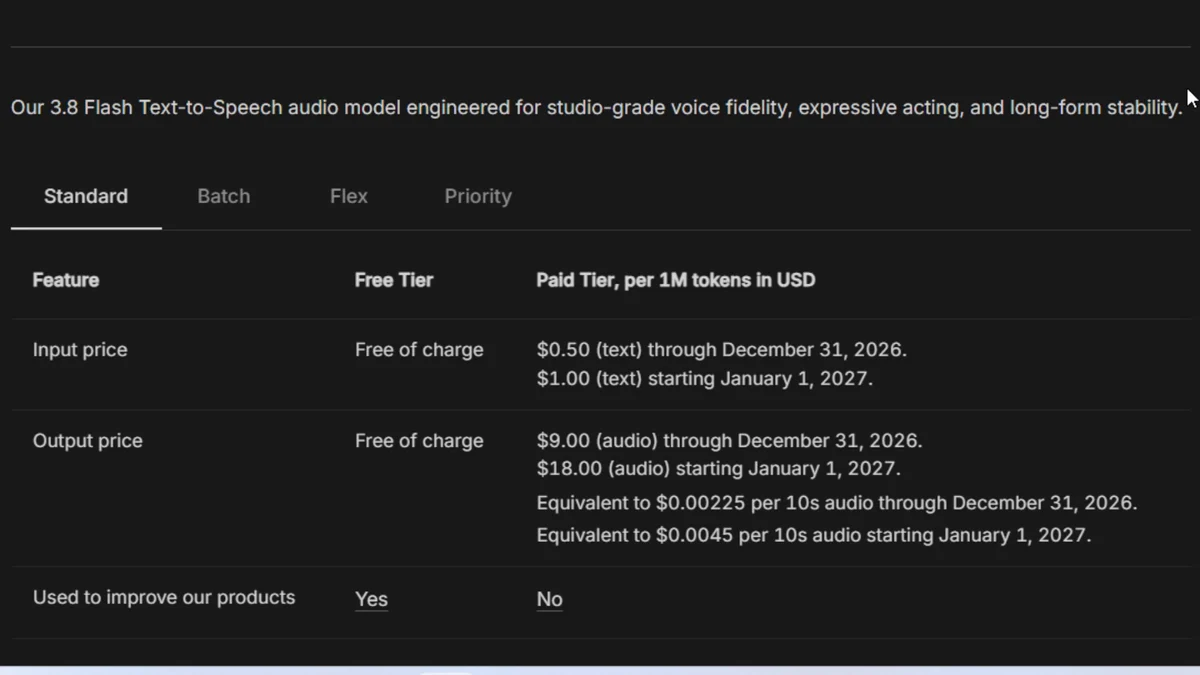
Google AI Studio text to speech is free to use, but not without limits. These are the prices on Google’s Gemini API pricing page for Gemini 3.8 Flash TTS.
| Gemini 3.8 Flash TTS | Free tier | Paid tier (per 1M tokens) |
|---|---|---|
| Input | Free of charge | $0.50 (text) through Dec 31, 2026; $1.00 from Jan 1, 2027. |
| Output | Free of charge | $9.00 (audio) through Dec 31, 2026; $18.00 from Jan 1, 2027. |
| Per 10s of audio | Free of charge | $0.00225 through Dec 31, 2026; $0.0045 from Jan 1, 2027. |
| Used to improve Google’s products. | Yes | No |
Audio tokens are counted at 25 tokens per second. By my math from Google’s $0.00225 per 10 seconds, one minute of paid audio output costs about $0.0135 through December 31, 2026, plus a small charge for the input text. Google also lists Gemini 3.8 Flash-Lite TTS on the same page, a low-latency model with a lower audio price ($6.00 per 1M output tokens through December 31, 2026).
Privacy tip: the free tier row says “Used to improve our products: Yes.” Don’t paste private or client scripts on the free tier.
Daily limit and reset time
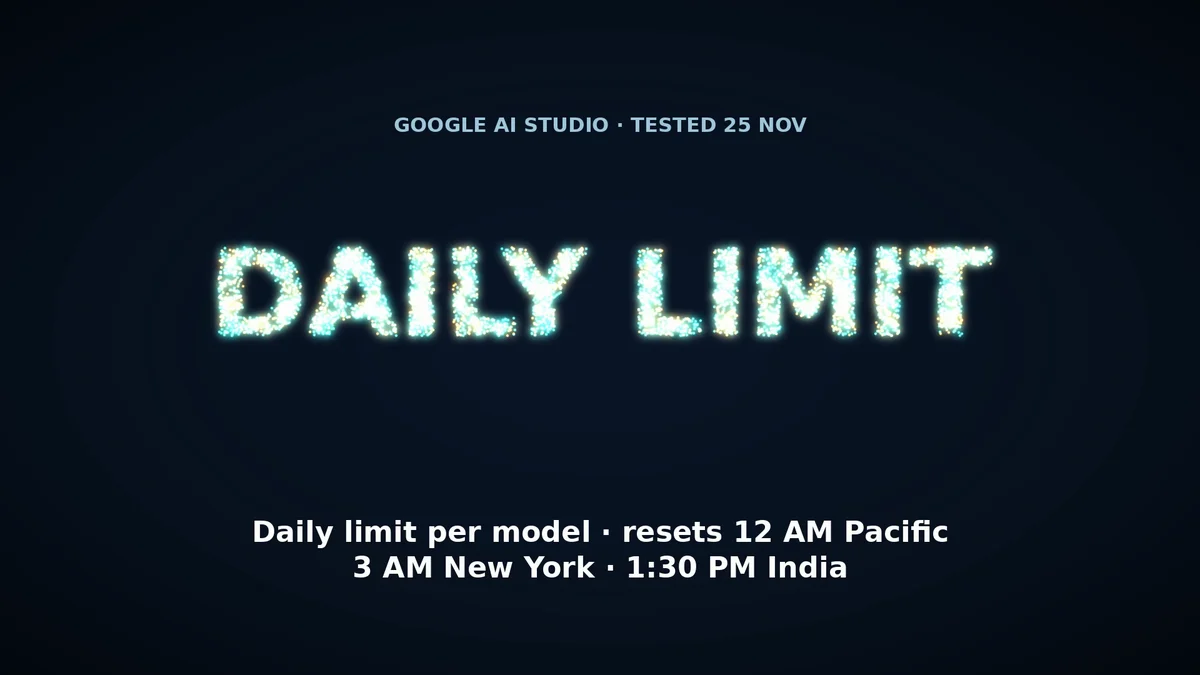
AI Studio has a daily limit per model. Google’s rate limits page says requests per day reset at midnight Pacific time, and limits apply per project. That is 3 AM in New York. In India it is 1:30 PM in winter, and 1 hour earlier during US daylight saving time.
The free limit is small. It counts requests per day and tokens per minute, so long scripts use it up faster. Google doesn’t publish an exact free number for TTS, so check your own limit on the rate limit page in AI Studio.
Keep each Run short. Google’s model page lists an input limit of 8,192 tokens and an output limit of 16,384 tokens per request. By my math (16,384 ÷ 25 tokens per second), that output cap is roughly 11 minutes of audio, so split long voice-overs into parts.
Use the voice in your videos
I made every voice in my recent videos with Google AI Studio text to speech. In my Claude explainer video, Claude synced the animation to each word of the voice.
To cut and arrange the clips with prompts, see my Claude video editing tutorial. Download the WAV from AI Studio, add it to your project, and build the visuals around it.
Frequently asked questions
Yes. Library voices, styles and two-speaker audio are free in Google AI Studio, with a daily limit per model. Creating your own voice with Voice Design or Voice Replication needs a billing account.
Gemini 3.8 Flash TTS (gemini-3.8-flash-tts) is Google’s text-to-speech model in AI Studio and the Gemini API. It turns text into speech, supports over 130 languages and can voice up to 2 speakers in one request.
In my test it appeared after filtering the library by Hindi on a free key, and the message itself says a paid key unlocks more voices. You can still pick a free voice like Arlo and paste a script in that language.
Yes. Keep a free voice such as Arlo and paste a Hindi script written in Devanagari letters. The model detects the language and reads it.
No. The billing panel says the $300 Welcome credit is for eligible Google Cloud products for 90 days and excludes Gemini API.
Requests per day reset at midnight Pacific time, which is 3 AM in New York. In India it is 1:30 PM in winter and 12:30 PM during US daylight saving time.
Google’s pricing page shows “Used to improve our products: Yes” for the free tier and “No” for the paid tier. Don’t paste private scripts on the free tier.
Write the first speaker’s lines, click Add speech block, choose a second voice and write the reply. Click Run once to hear both voices, then download the WAV.
Watch the full video above. Which voice did you like best?

Awill Misra (Known as Awill Guru) holds a B.Tech in Electronics & Communication Engineering and an M.Tech in VLSI design, along with NIELIT O and A Level certifications. He also has an M.A. in Sociology and a B.Ed. He has been writing troubleshooting guides for Android phones, TVs, apps and gadgets on Gossipfunda since 2018, and teaches mathematics.